Secret rotation is a security best practice that limits the exposure window if a credential is compromised. You might rotate secrets when:
- A team member with access to credentials leaves
- You suspect a credential has been exposed
- Your security policy requires periodic rotation
These steps will guide you on updating the API key for your Hypertune integration.
- You have a Hypertune integration through a Native integration from Vercel Marketplace.
- You have access to manage your account's resources, including your Hypertune integration.
1. From your Vercel dashboard, go to the Integrations tab.
2. Next to your Hypertune integration, select the Manage button. Native integrations appear with a billable badge.
3. Find and select the Installed Product that has the API key you want to rotate. Take note of the name of this Installed Product.
4. Select the Open in Hypertune button.
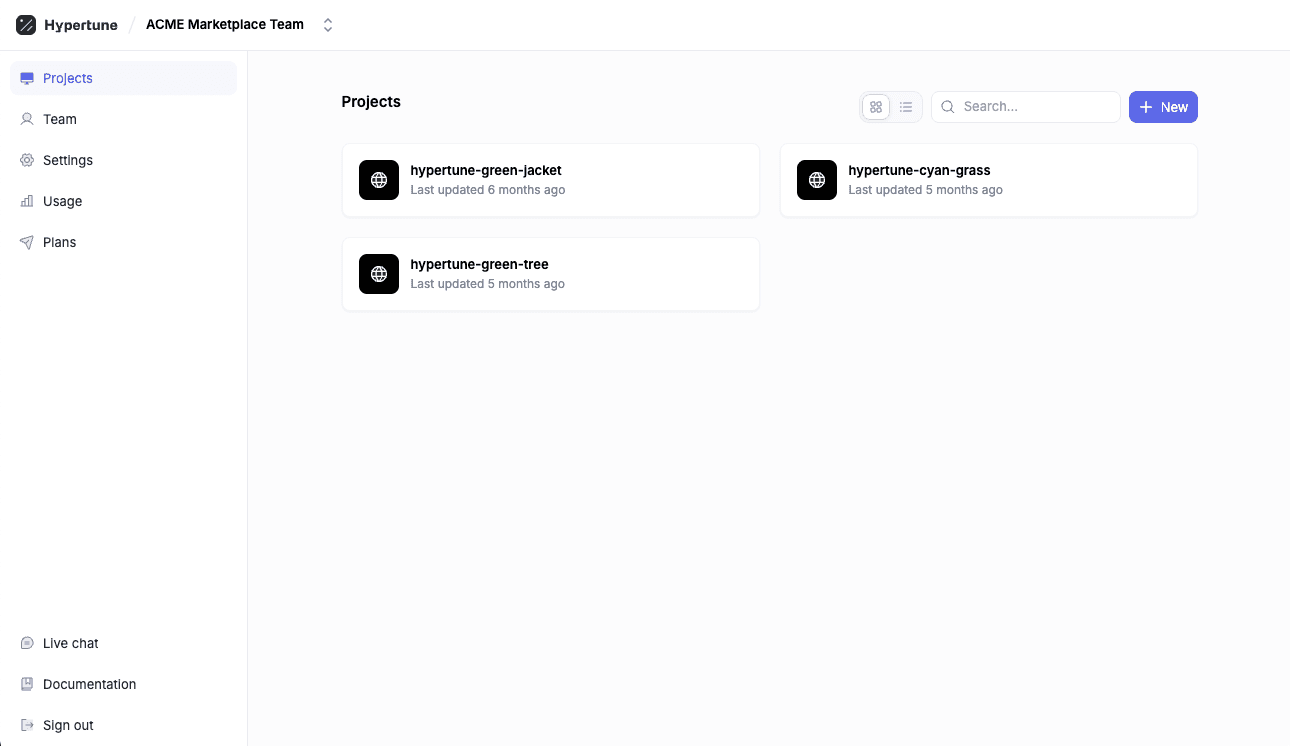
1. Select the Hypertune Project that matches the name of your Vercel Installed Product
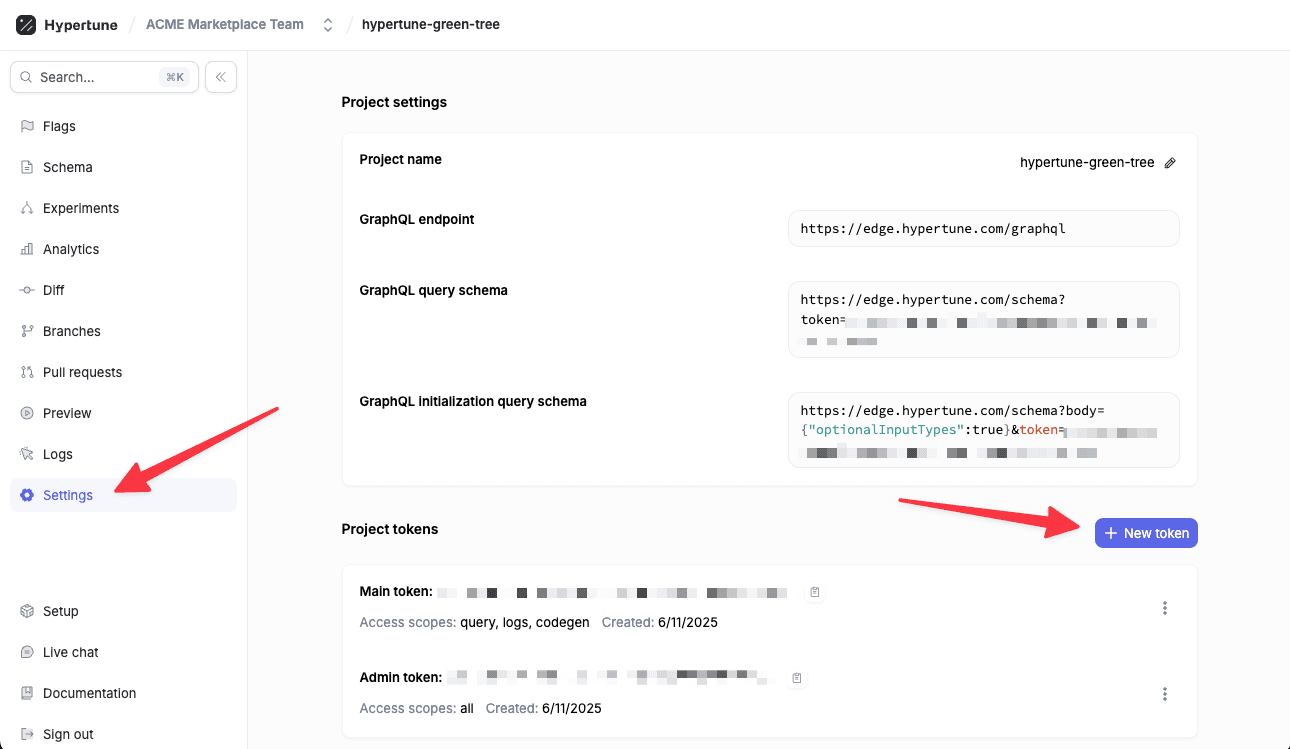
2. Go to the Settings page of this Project and click New token
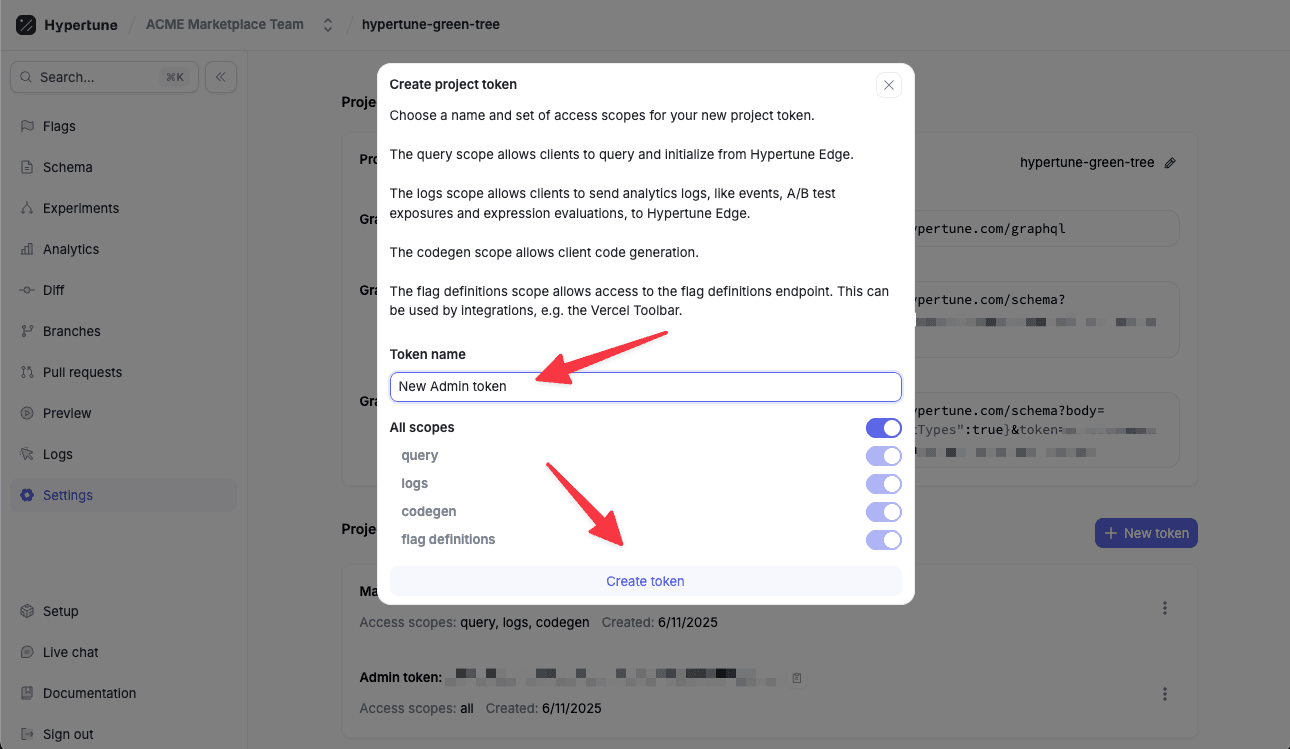
3. Provide a Token name and click Create token
1. From your Vercel dashboard, select your project
2. Go to the Deployments tab
3. Find your latest production deployment
4. Select the three dots and select Redeploy
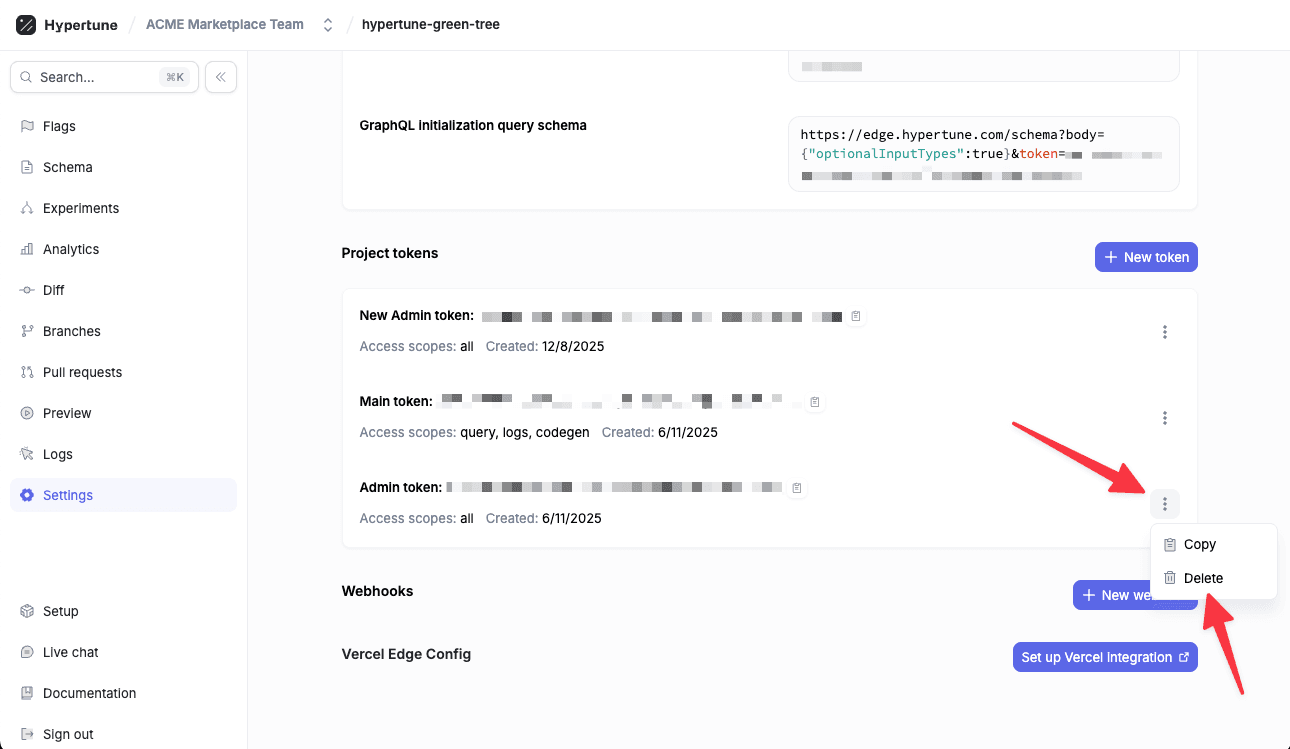
1. Navigate back to the Project > Settings page in Hypertune
2. Select the three dots next to the previous token and click the Delete buttons to delete the old API key once it is no longer in use